March 21st, 2025 | Statamic
By: Justin Phelan
Statamic CMS: The Laravel-Powered Alternative to WordPress
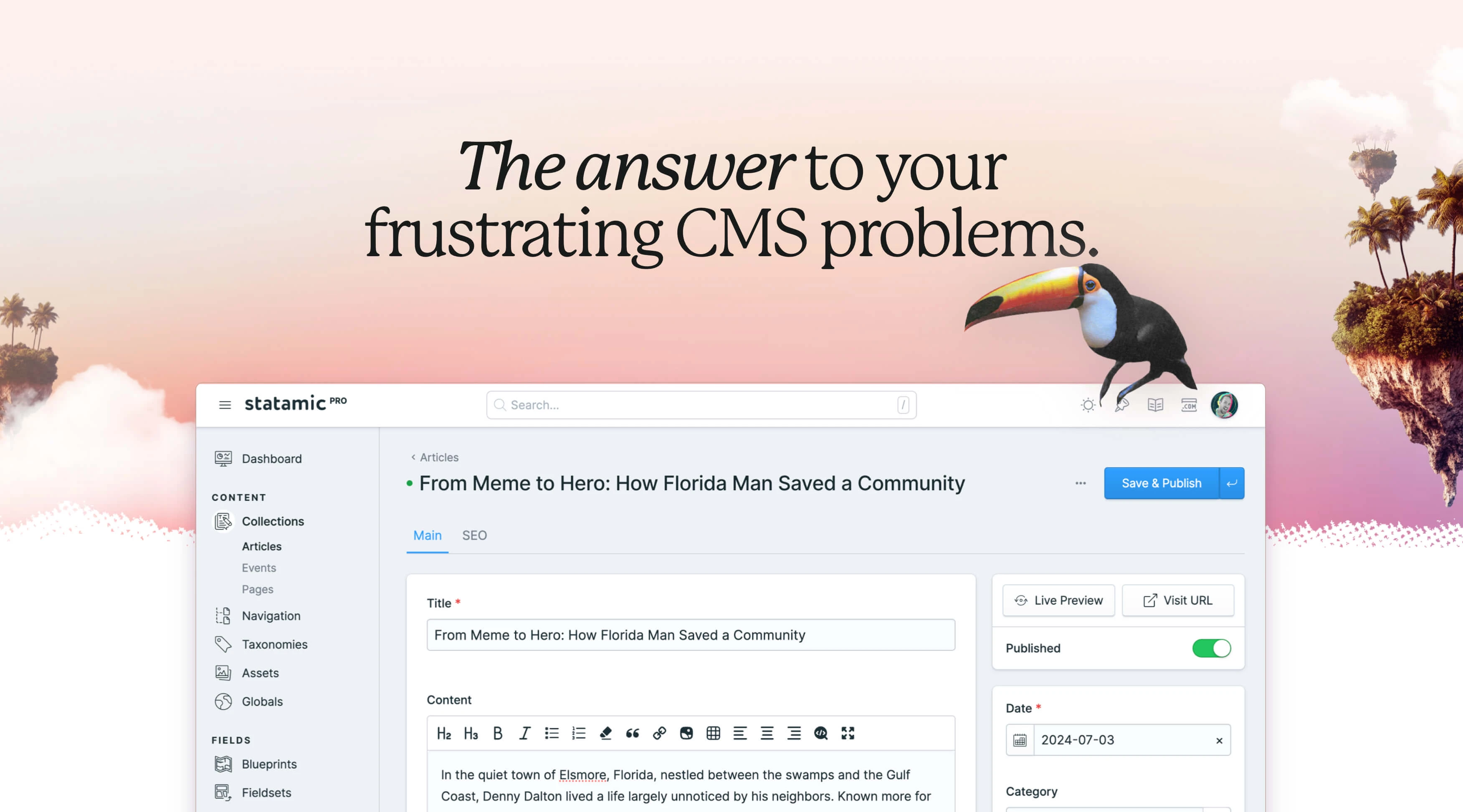
Is your current CMS holding back your website's performance and your team's productivity? Discover why you should consider choosing Statamic over traditional content management systems.
WordPress runs a large share of the web, and for a lot of sites that's perfectly fine. The trouble starts when a site accumulates thirty plugins, every core update turns into a regression hunt, and nobody on the team can say with confidence what a given release will break. At that point the platform has stopped being the safe choice.
Statamic is a content management system built on Laravel. It stores content in flat files by default, with a database driver available when you need one. We build on it regularly, and this is what we've learned about where it fits.
What Makes Statamic Different
Most CMS platforms treat the database as the source of truth. Statamic treats your repository as the source of truth. Content lives in Markdown and YAML files alongside your templates, which means a site's entire state can be checked out, branched, diffed, and rolled back like any other codebase.
Underneath, it's Laravel. Not Laravel-inspired or Laravel-adjacent: an actual Laravel application, with the full framework available to you. If your team can build a Laravel app, they can build a Statamic site.
Seven Reasons to Consider Statamic
1. The architecture is familiar to Laravel developers
Statamic inherits everything Laravel gives you: Blade templating, Eloquent when you're running in database mode, the Artisan CLI, queues, events, middleware, and Composer for dependency management. Antlers is available as a simpler templating language for front-end work, but you can write Blade throughout if you'd rather.
For a team already working in Laravel, this eliminates most of the ramp-up. There's no proprietary hook system to learn and no plugin API standing between you and the framework.
2. Editors pick it up quickly

The control panel is deliberately sparse. Content is organized into collections and taxonomies, custom fields are assembled through a visual blueprint builder, and live preview shows changes rendering in the actual template as you type. The admin interface works on a phone, which matters more than it sounds like it should when someone needs to fix a typo from an airport.
In our experience, editors coming from WordPress are productive in an afternoon. The learning curve is mostly unlearning: there's no plugin settings maze to memorize.
3. It's fast without much effort
Site speed feeds directly into search rankings and conversion rates, and Statamic gives you several ways to get there. Static caching runs in half measure (cached HTML with dynamic fragments) or full measure (files served straight by the web server, bypassing PHP entirely). The static site generator addon takes it further and produces a fully static build you can drop on a CDN.
Server requirements are modest, especially in flat-file mode with no database to provision or tune. Sites we've migrated off plugin-heavy WordPress builds are consistently faster afterward, though how much faster depends entirely on what was slowing down the old site.
4. You choose how content is stored

Flat-file mode keeps content in version control, which makes backups trivial, deployments predictable, and content changes reviewable in a pull request. Moving content between staging and production is a merge.
Database mode swaps the flat-file layer for MySQL or PostgreSQL through Eloquent. It's the better fit for sites with tens of thousands of entries, heavy relational querying, or editorial teams publishing concurrently at volume, where file-based storage starts to strain.
You can also mix the two, keeping some collections in files and others in the database. The decision doesn't have to be made once and forever at the start of the project.
5. Maintenance costs less over time
The savings come from having fewer moving parts. A Statamic site typically depends on Laravel, Statamic itself, and a handful of Composer packages rather than dozens of independently maintained plugins from dozens of authors. Updates are a Composer command and a test run, not an afternoon of hoping.
Hosting is cheaper too, particularly for statically cached sites. The clients who notice the difference most are the ones who were paying for ongoing WordPress plugin triage.
6. Security has fewer entry points
Laravel handles CSRF protection, output escaping, parameter binding, and authentication out of the box, with security patches coming from a well-resourced core team. Flat-file mode removes the database as an attack surface altogether, and a fully static-cached site serves HTML with no PHP execution on request.
The bigger factor is the plugin ecosystem, or rather the absence of one at WordPress scale. Most WordPress compromises trace back to a vulnerable third-party plugin, and a Statamic site simply has fewer of those to worry about.
7. Preview actually reflects the published page

Live preview renders content through the real template, at whatever viewport size you select, before anything goes live. Editors can see how a long headline wraps or how an image crop behaves on mobile without publishing and checking.
The practical result is fewer publish-then-fix cycles and shorter approval threads with clients.
Where Statamic Falls Short
Every platform involves trade-offs, and these are the ones worth knowing before you commit.
The add-on marketplace is small
Statamic's marketplace is a fraction of the size of WordPress's or Drupal's. Some integrations that would be a plugin install elsewhere need to be built. That means real development hours, and it can extend a timeline on projects with unusual third-party requirements.
In practice, we've found custom Laravel code is usually cleaner than the plugin it replaces, and it doesn't become someone else's abandoned repository two years later. But the cost is real and we scope for it up front.
Structured content, not page building
Statamic pushes you toward defined content structures instead of freeform visual layout. Editors work with fields and blocks rather than dragging components around a canvas. That keeps content consistent, keeps mobile layouts intact, and keeps the design system from drifting.
It also means layout changes generally require a developer. Bard, Statamic's block-based editor, gives editors meaningful flexibility within a structure, but a marketing team that wants to assemble arbitrary landing pages at 4pm on a Friday will find it constraining. That's a genuine mismatch, not something to talk a client out of.
Fewer developers to hire
There are far more WordPress developers available than Statamic developers. Any Laravel developer can pick up Statamic quickly, which widens the pool considerably, but you can't assume the next agency your client works with will already know it. If that's a concern, ask about it before you build.
Where Statamic Fits Well

The projects where Statamic tends to be the right call:
Corporate and marketing sites with regular content updates and a defined design system
Publishing platforms, documentation sites, and knowledge bases
Performance-sensitive sites where static caching or a static build makes a measurable difference
Multilingual sites serving international audiences
Projects with custom functionality or integrations with internal business systems
Teams that want content changes to move through the same review process as code
It's a weaker fit for large e-commerce catalogs, sites depending on a specific WordPress plugin with no equivalent, and organizations whose editors need full visual page-building control.
Migrating to Statamic

Migrations succeed or fail on the audit. Before writing any code, we go through the existing site and establish what content actually needs to move, what should be archived, and what nobody has touched in four years.
Audit existing content and set migration priorities
Map content types to Statamic collections, taxonomies, and blueprints
Build migration scripts to move content programmatically
Test in staging, including redirects, forms, and any third-party integrations
Train the content team before launch, not after
Typical timelines run four to eight weeks for a straightforward site, twelve to twenty weeks for something complex, and six months or more for enterprise projects with several approval layers and integration work. Throughout, the existing site stays live, redirects are mapped early, and launches get scheduled for low-traffic windows with a rollback plan ready.
SEO Considerations

Most of Statamic's SEO advantage comes from the technical side. Pages load fast, the HTML is whatever you write rather than whatever a page builder generates, and Core Web Vitals scores tend to be strong without much tuning.
On the content side you get full control of URL structures, custom meta fields on any collection, image transformation and optimization through Glide, scheduled publishing, and proper multi-site support for multilingual work. Structured data goes in your templates directly, which is easier to get right than configuring a plugin to output it for you.
Our Statamic builds regularly land in the 90s on PageSpeed with sub-two-second loads. That's a starting point rather than a ceiling, and it's considerably easier to maintain than clawing the same scores back out of a WordPress install every few months.
Is Statamic Right for Your Business?
Statamic is worth considering if you care about long-term maintainability more than immediate convenience, if performance matters to your business, if you have access to Laravel developers, and if your content needs are better served by structure than by a page builder.
Look elsewhere if you need a specific third-party plugin that only exists for WordPress, if your editors require drag-and-drop layout control, or if you have no path to Laravel expertise and no interest in developing one.
Working with Statamic
We build on Laravel and Statamic, and we handle the parts that make migrations difficult: content mapping, redirect strategy, custom functionality that replaces plugin dependencies, and training editors so the new system actually gets used the way it was designed.
If your current CMS is costing you more in maintenance than it returns in capability, that's worth a conversation. Get in touch and we'll tell you honestly whether Statamic is the right move for your project, including when it isn't.

Justin Phelan
Full Stack Developer